

A simple, honest guide for non-tech savvy business owners

Before we start: one important truth
Most people choose a website platform too early — before they understand how they’ll actually use their site.
Your website isn’t just “a website.”
It’s:
- how people judge your professionalism
- how clients decide whether to trust you
- how easy (or hard) it is for you to make updates later
This guide explains what you’re really signing up for with each platform — in plain language.
If you skip everything else, read this first
Ask yourself:
- Will I want to update this myself?
- Do I want my site to grow with my business?
- Am I selling services, products, or ideas?
- Do I care more about ease or flexibility?
Keep those answers in mind as you read.
WordPress (not scary — just misunderstood)

What it actually is
WordPress is like owning a house instead of renting an apartment.
You can:
- redesign
- renovate
- expand
- change directions later
But you need it set up properly.
What you should know before choosing WordPress
- It’s not a one-click solution
- It works best when built by someone who understands structure
- Once it’s set up correctly, it’s easy to manage
- It gives you the most control long-term
Good choice if you:
- plan to grow your business
- care about SEO and being found on Google
- want a custom look (not a template everyone else uses)
- don’t want to rebuild your site in a year
Not a good choice if you:
- want something set up in one afternoon
- never want to think about your website again
Plain truth:
WordPress is professional, flexible, and powerful — but only when done right.
Squarespace (beautiful and simple)

What people think it is
“Easy and pretty.”
What it actually is
Squarespace is like a well-designed condo.
Everything works, everything looks nice — but you can’t knock down walls.
What you should know before choosing Squarespace
- You’re choosing from pre-designed layouts
- Customization has limits
- It’s easy to update text and images
- Growth options are capped
Good choice if you:
- want a clean, stylish site quickly
- are a creative or service-based business
- plan to manage the site yourself
- don’t need complex features
Not a good choice if you:
- want heavy customization
- plan to scale aggressively
- want advanced SEO control
Plain truth:
Squarespace is great if your business is simple and staying that way.
Shopify (great for products — not everything else)

What people think it is
“The best for online stores.”
What it actually is
Shopify is a cash register with a website attached.
It’s built to sell products efficiently — not tell stories.
What you should know before choosing Shopify
- Monthly fees add up
- Design flexibility is limited
- Service businesses often don’t need it
- Content pages are secondary
Good choice if you:
- sell physical products
- manage inventory
- want a reliable checkout system
Not a good choice if you:
- sell services
- want content, storytelling, or SEO depth
- need design flexibility
Plain truth:
Shopify is excellent — but only if selling products is your main goal.
Wix (easy — but risky long-term)

What people think it is
“Drag and drop = freedom.”
What it actually is
Wix is like furniture made of cardboard.
It looks fine at first — but doesn’t age well.
What you should know before choosing Wix
- It’s easy to start, hard to grow
- Sites often become messy over time
- SEO and performance suffer
- Professionals can’t easily “fix” a bad Wix build
Good choice if you:
- are testing an idea
- need something temporary
- have no budget and no expectations
Not a good choice if you:
- want to look established
- plan to hire a designer later
- want flexibility or growth
Plain truth:
Wix works short-term, but often leads to rebuilding from scratch.
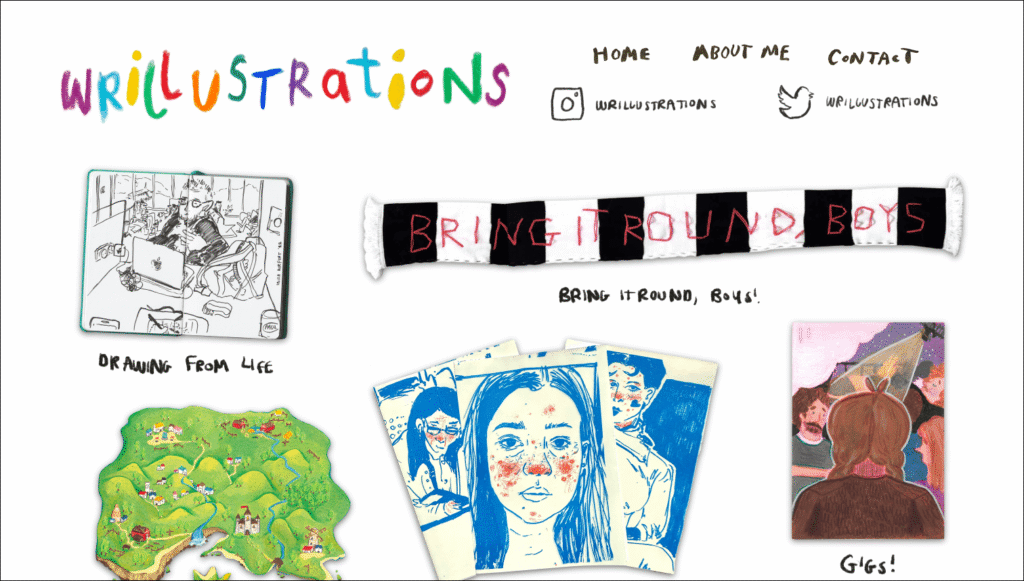
Readymag (beautiful but not beginner-friendly)
What people think it is
“Looks cool.”
What it actually is
Readymag is a digital magazine builder, not a traditional website.
What you should know before choosing Readymag
- It’s not built for beginners
- SEO is limited
- Updates take design skill
- Best used as a portfolio or concept site
Good choice if you:
- are a designer or artist
- want visual storytelling
- don’t rely on Google traffic
Not a good choice if you:
- are a traditional business
- need regular updates
- care about SEO or scalability
Plain truth:
Readymag is stunning — but it’s not a business workhorse.
The real mistake most people make
They choose a platform before understanding:
- how their business will grow
- how much control they want
- whether they’ll update the site themselves
That’s why many people end up rebuilding their website within a year.
How to avoid choosing the wrong platform
This is exactly why I offer Website Audits.
Instead of guessing, I:
- review your current site
- explain what’s working and what isn’t
- tell you plainly whether to stay, fix, or move
- help you avoid wasting money on the wrong platform
No pressure. No upselling. Just clarity.
👉 Book a Website Audit → Here